THE CREATOR EDIT · OCTOBER 2026
Nano Banana 2.1 vs Pro: Real Image Tests for Creators
Nano Banana 2.1 vs Pro, compared through two briefs and four real Gemini images. See the text, layout and instruction-following results before choosing a tool.
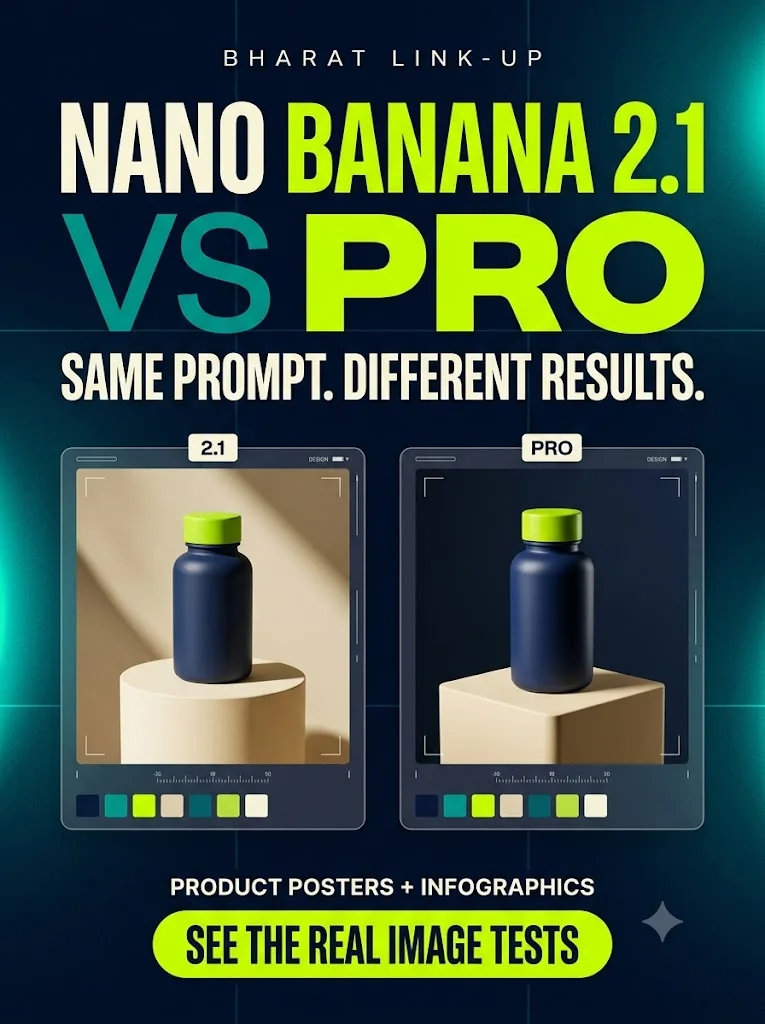
Nano Banana 2.1 vs Pro: which should you use for social media images? In our two-brief test, both routes produced clear text, but both missed an exact leaf count. Pro changed the layout; it did not win every check. Start with the default tool, then try Pro when the design needs another pass.
We tried two briefs in Gemini: a branded product poster and a three-step content infographic. We generated a default version and used Redo with Pro for each. That gave us four real samples to inspect. Here is what changed—and what neither model got right.
Nano Banana 2.1 vs Pro: what is the difference?
Google describes Nano Banana 2.1 as the efficient counterpart to Nano Banana Pro, with improvements to visual quality, text and editing. Its Pro documentation emphasizes complex graphic design and product mockups. These are Google's product descriptions, not the outcome of our small test.
Our account's Usage limits page showed an existing Pro plan. The current Gemini FAQ says eligible Google AI plans access 2.1 and can regenerate with Nano Banana Pro. We followed that documented route. Gemini did not expose a backend image-model ID, so our default-model attribution relies on the plan and documented routing. The Flash chat label does not identify the image generator.
We made no new purchase. That does not mean these models are universally free; availability depends on your current plan and limits.
Test 1: a branded product poster
The brief asked for one matte navy bottle with a lime cap, a cream pedestal, exactly two leaves, the label BLU DAILY, the quantity 500 ml and a headline: ONE PRODUCT. THREE STORIES.
The default version has a warm, photographic studio feel. Its serif headline and cream background look editorial. The Pro regeneration uses a stronger navy-and-ivory split and makes the product label and brand footer larger.
Both images rendered the requested words well. Both showed one bottle and no hands. But both added more than the specified two leaves.
That is the practical lesson: a polished image can still fail a simple instruction. If your brief specifies an exact quantity, package detail or claim, inspect it before you publish.
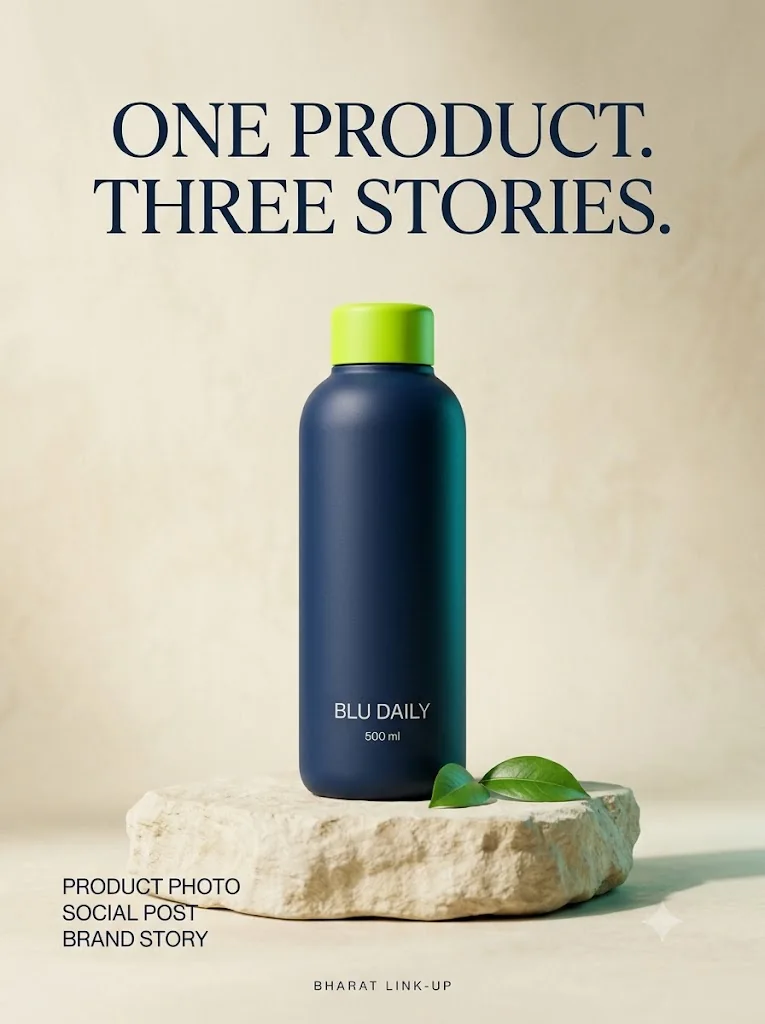
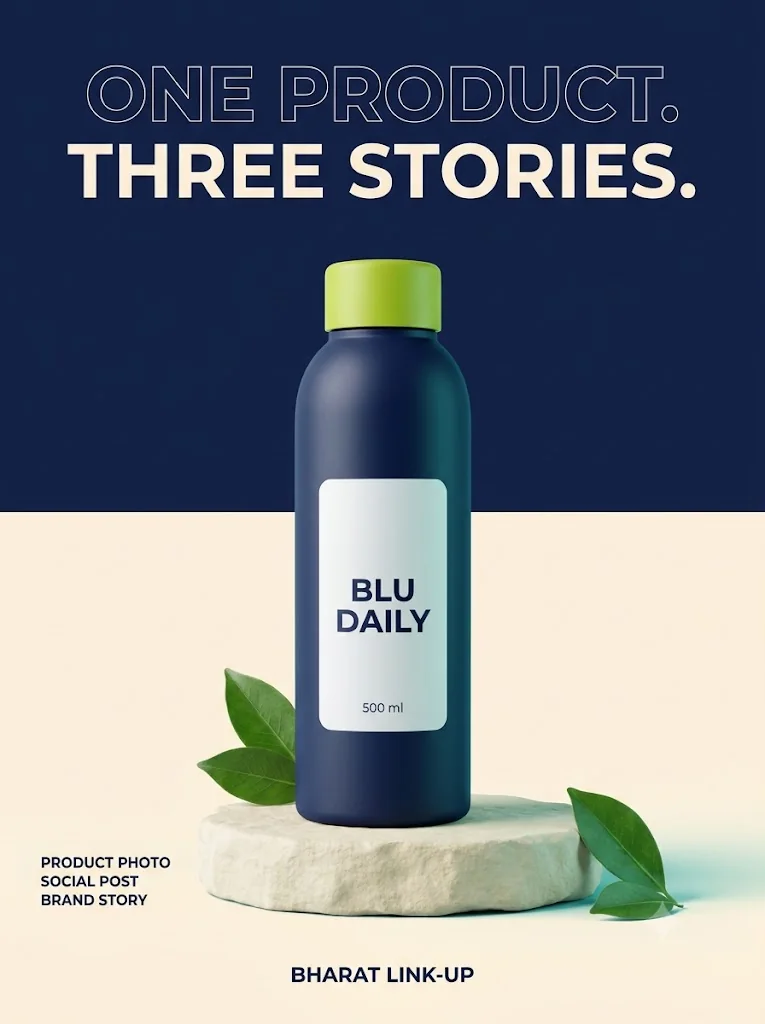
Actual unretouched Gemini outputs. Default model attribution follows the verified plan and Google’s documented routing; Gemini did not expose backend IDs.
Test 2: a numbered educational infographic
This brief specified exactly three cards: check the claim, check the image and check the CTA. It included exact supporting sentences, three icons and the footer SAVE THIS BEFORE YOU POST.
Both outputs kept the three steps in order and included the requested wording and icons. We found no missing sentence or spelling error at the saved resolution.
The default uses larger, rounder typography and places icons on the left. Pro uses condensed headings, icons on the right and a navy footer with a stronger brand treatment. The default headline wraps across two lines; Pro fits it on one.
This task produced two usable layouts. It did not produce a text-accuracy winner.
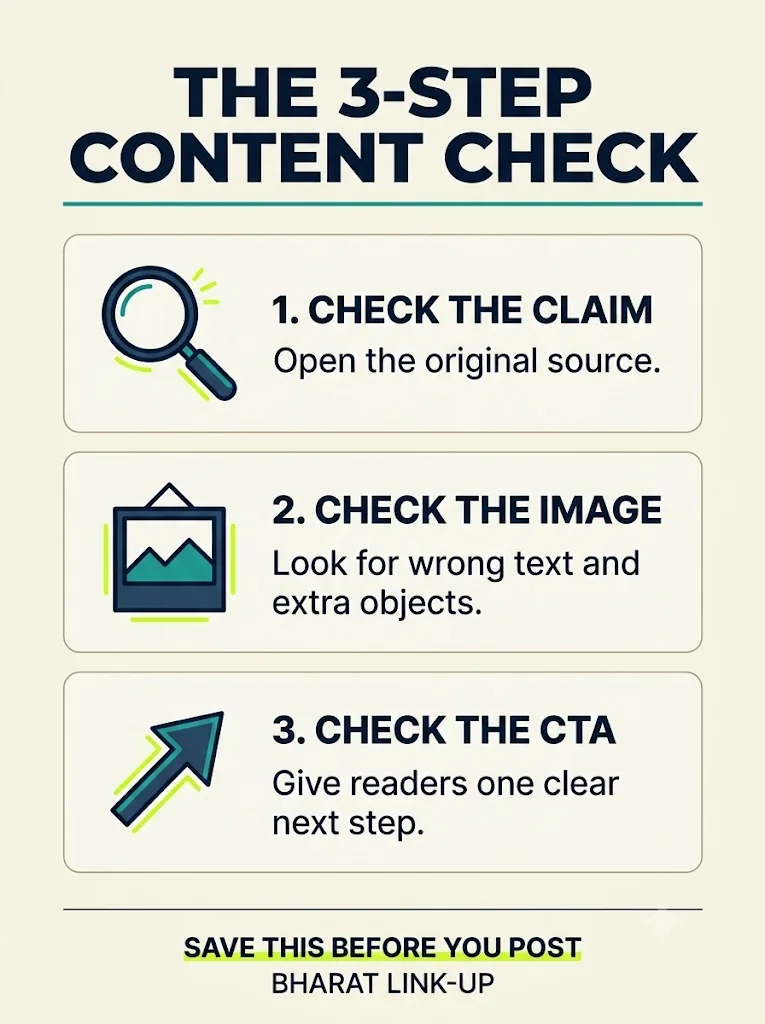
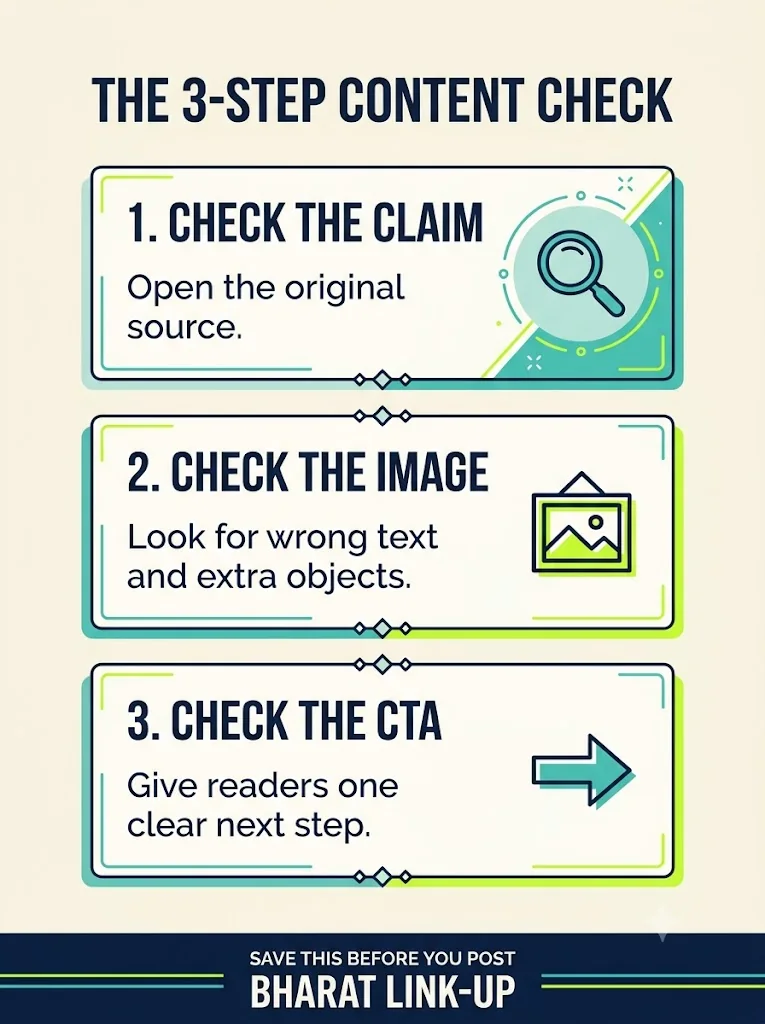
Actual unretouched Gemini outputs. Default model attribution follows the verified plan and Google’s documented routing; Gemini did not expose backend IDs.
Nano Banana 2.1 vs Pro: which is better for creators?
Start with the default image tool and judge the output against your actual brief. Try Redo with Pro when the first composition or visual hierarchy needs improvement. Compare the result rather than assuming the Pro label guarantees a better design.
Before exporting, check every word, count specified objects and test whether the headline and CTA remain readable on a phone. AI-generated product artwork also needs comparison with your actual product; we did not test a real product reference here.
Use the image inside a purposeful content plan. Our social media content calendar for small service businesses helps connect individual visuals to a month's publishing decisions. For broader creator and AI-business opportunities, see the AI Creator Money Radar.
Prompts for your Nano Banana 2.1 vs Pro comparison
Copy the exact brief below and generate it through the same two routes. Keep the object-count requirement: removing it would hide a meaningful failure.
Product poster: exact comparison prompt
Copy the product poster prompt
Create one premium editorial Pinterest poster in a vertical 3:4 composition. A photorealistic matte navy reusable water bottle with a lime green cap sits on a cream stone pedestal, surrounded by subtle teal studio light and two clean green leaves. The bottle label must read exactly "BLU DAILY" and beneath it "500 ml". Include a polished typographic header above the product reading exactly "ONE PRODUCT. THREE STORIES." At the lower left, add three small stacked lines of text: "PRODUCT PHOTO", "SOCIAL POST", "BRAND STORY". At the very bottom put "BHARAT LINK-UP". Use deep navy, warm ivory, electric lime and teal, elegant art direction and highly legible typography. Show exactly one bottle, no hands, no invented logos, no extra text, no collage, no watermark text. Keep ample margins so the headline and brand fit completely. Generate the image, not an explanation.
Infographic: exact comparison prompt
Copy the infographic prompt
Generate a polished educational Pinterest infographic in vertical 3:4 format, for Bharat Link-Up. Make a warm ivory background with deep navy typography, teal and electric lime accents. Exact title: "THE 3-STEP CONTENT CHECK". Below it, exactly three clearly separated numbered cards, in reading order from top to bottom. Card 1 text exactly: "1. CHECK THE CLAIM" and "Open the original source." Card 2 text exactly: "2. CHECK THE IMAGE" and "Look for wrong text and extra objects." Card 3 text exactly: "3. CHECK THE CTA" and "Give readers one clear next step." Each card has one clean simple icon: magnifying glass, picture frame, arrow respectively. At the bottom, exact footer: "SAVE THIS BEFORE YOU POST" and "BHARAT LINK-UP". Do not add any other words, numbers or cards. Keep all typography legible at mobile size and fully inside the margins. Modern premium editorial design, no fake metrics, no logos from other brands. Generate the image, not an explanation.
What this comparison does—and does not—prove
We tested two briefs once per route. There was no seed control, isolated API benchmark, reliable speed measurement, face test, reference upload or repeated-edit test. We generated Pro images through the app's regeneration action, which can use conversation context.
We saved the displayed samples as 765 × 1024 JPEGs and made lighter WebP copies for this page. We did not obtain confirmed full-resolution originals, so this test cannot establish maximum export quality. Results vary with prompts, revisions and model updates.
Our conclusion is narrow: both routes produced clear text in these samples; both missed a leaf-count instruction; their layouts differed. That is more useful than declaring a universal winner from four images.
If you want to turn reliable image production into a service, explore our AI business ideas worth building in 2027, including a product visual studio with accuracy checks and human review.
Nano Banana 2.1 vs Pro: frequently asked questions
Is Nano Banana 2.1 the same as Nano Banana Pro?
No. Google lists them as separate image models. Its documentation positions 2.1 as the efficient counterpart and Pro for complex graphic design. Our small test found layout differences, not a universal winner.
Which is better for social media images: Nano Banana 2.1 or Pro?
Start with the default tool and inspect the result against your brief. In our samples, both rendered the requested text well. Try Redo with Pro when you want a different composition or stronger brand emphasis, then compare both versions on a phone.
Is Nano Banana 2.1 free in Gemini?
Do not assume access is free for every account. We used an existing Pro plan and made no new purchase. Check Gemini’s current plan, region and generation limits before you start; this article does not test a universal free allowance.
Can Nano Banana 2.1 and Pro write accurate text in images?
Both rendered the words in our poster and three-step infographic correctly. However, four samples cannot guarantee accuracy for other languages or longer passages. Check spelling, numbers and your CTA before publishing.
How do I compare the same prompt with Nano Banana Pro?
On an eligible Gemini account, create an image, then use Redo with Pro. Keep the brief unchanged and compare the text, object count and layout. We followed Google’s documented plan routing for the default version; Gemini did not reveal its backend image-model ID.
Which model is faster or produces the highest-resolution image?
Our test does not answer that. We did not run a timed API benchmark or obtain confirmed full-resolution exports. Use the actual model documentation and your account’s export options; these web-sized samples cannot prove speed or maximum resolution.
Turn an idea into content people understand.
Need help with a content plan, visual design or editing? Tell us your audience and brief.
Discuss your content plan ↗By Bharat Link-Up Editorial. Tested October 9, 2026. AI-generated images; no affiliate links. Two briefs and four samples do not establish a universal winner.