

THE BUSINESS EDIT · 12 OCTOBER 2026
Why Your Website Gets Visitors but No Enquiries: 7 Things to Check
Getting website visitors but no enquiries? Check your audience, offer, proof, mobile experience and contact form with this practical seven-step guide.
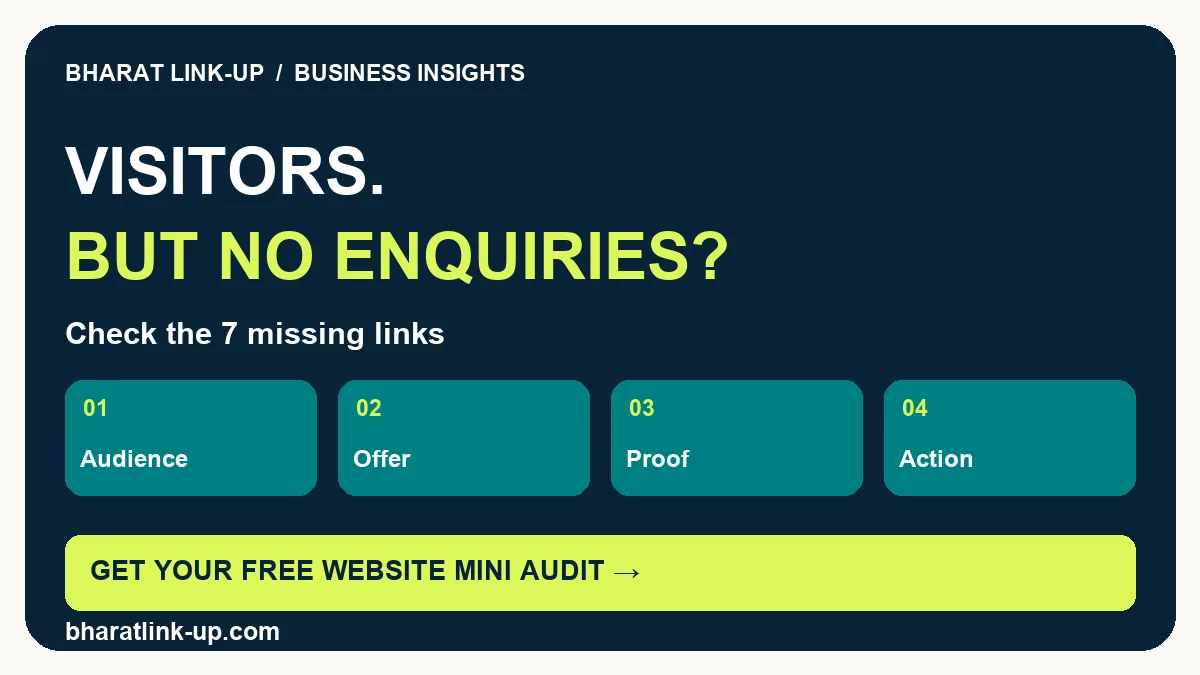
Your traffic report shows people arriving, but your inbox stays quiet. Before buying more traffic or rebuilding the entire website, find where the journey breaks. A visit is only the first step: the right person must understand your offer, trust it, take action and receive a response.
Request a free mini audit of mobile usability, your main CTA and three fixes. Send your website for a free mini audit →
1. Check whether the visitors need your service
A website can attract attention without attracting buyers. A popular tutorial might bring students, other agencies or people looking for a free answer. Those visits are useful, but they are not the same as an enquiry from someone who needs your service now.
Review your landing pages and traffic sources. For each page, write down who it helps and what that person might buy next. A local interior designer might attract readers researching paint colours; a guide to preparing for an interior consultation is closer to a purchase decision. Both can belong on the site, with different next steps.
Action: choose one page with relevant traffic. Link it to the service that solves the reader’s next problem, rather than sending everyone to the homepage.
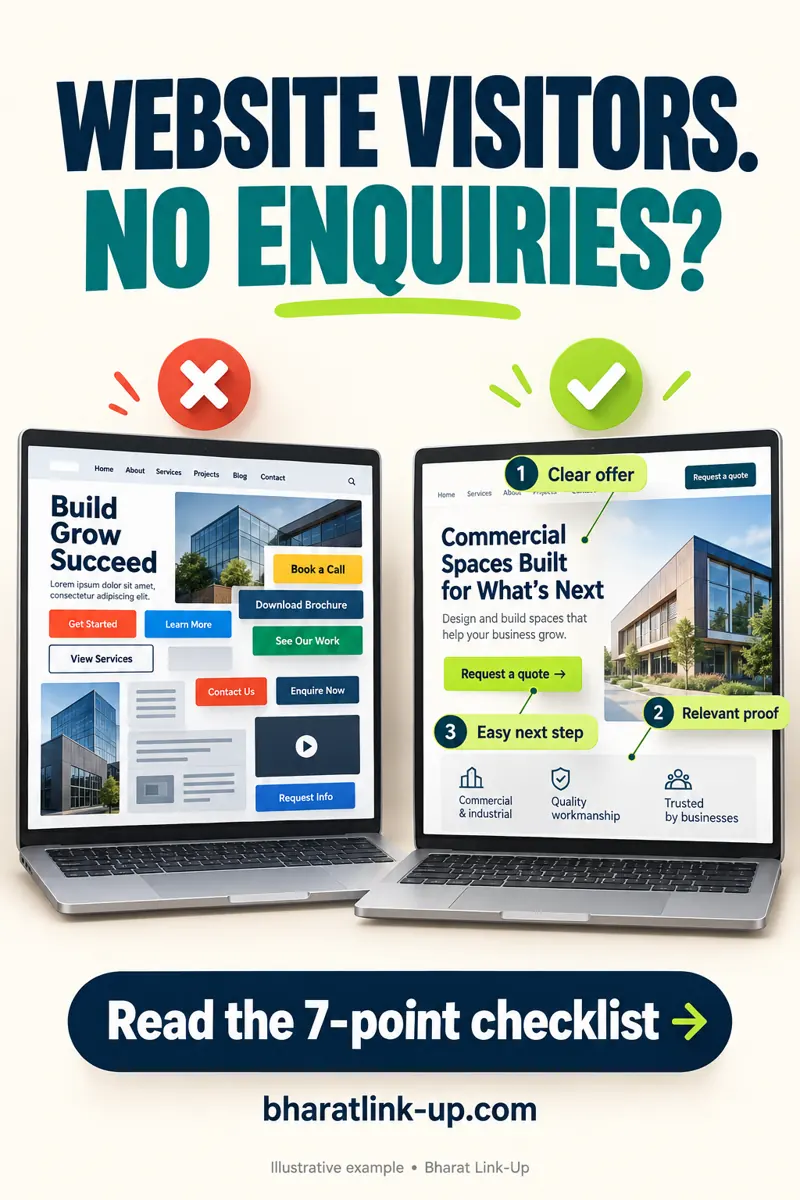
Website traffic but no leads: an illustrative before-and-after
The example below shows the same kind of service presented two ways. The crowded version asks readers to choose between several vague buttons; the clearer version names the service and offers one next step. It illustrates a design principle, not a measured client result.
What would you change first?
- Offer: say what service you provide and whom it helps.
- Proof: replace generic claims with genuine work or a client-approved example.
- Action: use a specific label such as Request a quote, then explain what happens next.
If visitors arrive from social media, check the preceding promise too: our Instagram-to-website enquiry guide explains that part of the journey.
2. Make the offer understandable in one screen
A headline such as “We build possibilities” sounds polished but leaves visitors guessing. Your opening screen should tell people what you do, whom you help and what they can do next. Clarity gives a visitor a reason to keep reading.
Illustrative rewrite for an accountant: “Monthly bookkeeping for small retail businesses. Keep your records organised and know what is due. Request a scope call.” This is a writing example, not a measured conversion result. Keep the promise specific and truthful; do not add savings or delivery guarantees you cannot support.
Action: ask someone outside the business to read the opening screen. Can they explain the service, intended customer and next step without your help?
3. Use a next step that matches the decision
“Contact us” can be appropriate, but it says little about what follows. A visitor comparing providers may prefer a short scope call, a quote request or a useful diagnostic before committing. Name the action and explain what information you need.
For an audit, “Request a free website mini audit” is clearer than an unexplained “Get started.” Put a short scope statement beside it. Avoid several equally prominent buttons that compete for attention. Secondary actions can remain available for visitors with a different need.
Action: use one primary CTA per service section. Put the same action after the explanation and proof, so the visitor does not have to hunt for it.
4. Place credible proof beside the claim
People need reasons to believe you can deliver. Show work that resembles the service you are selling: an actual deliverable, a client-approved example, a testimonial with context or a case study explaining the starting problem and work completed.
Do not use a stock portrait as a customer or an AI-generated result as evidence of real client work. If an example is illustrative, label it. Separate documented outcomes from opinions, and get permission before sharing names, screenshots or business details. A short, relevant example is more useful than a wall of vague praise.
Action: add one genuine example near the service promise. Explain what was done, whom it helped and which outcomes you can actually substantiate.
5. Test the mobile path, not just the appearance
An attractive desktop layout can conceal a difficult mobile journey. Sticky headers may cover buttons, pop-ups may block content, and images may push the offer far below the opening screen. Slow loading adds another obstacle before a visitor can act.
Open the page on a real phone and follow the route from the article to the enquiry form. Check readable text, button spacing, image loading and whether the final confirmation appears. Google’s Core Web Vitals cover loading, responsiveness and visual stability; they help identify experience problems, but a good score alone does not create demand.
Action: complete the journey on a phone over an ordinary mobile connection. Record the first point where you hesitate or cannot continue.
6. Make sure the form works and feels reasonable
A form may fail silently, send notifications to spam or demand too much information before the visitor understands the offer. Test the saved submission and notification separately. An on-screen thank-you does not prove the team received the message.
Ask only what you need for the first response. Use visible labels and clear errors. Explain what happens after submission and avoid promising a response time you cannot maintain. If you offer another contact channel, make sure someone monitors it. Check the form after plugin updates and major design changes.
Action: submit a clearly labelled test from a logged-out window. Verify the confirmation, stored entry and staff notification. Remove the test from commercial lead counts.
7. Measure the steps between a visit and a sale
Pageviews cannot tell you which obstacle caused the loss. Track the path: relevant landing-page session, CTA click, form start, successful submission, qualified enquiry and sale. Keep failed attempts and owner tests separate from successful customer actions.
In GA4, a form-start event is not a completed lead. A successful enquiry should be counted only after the form confirms success. Reconcile analytics with real submissions, since consent settings, blockers and attribution limits can create differences. Judge channels by qualified enquiries and revenue as well as engagement.
Action: create a weekly table with landing page, source, sessions, successful enquiries and qualified enquiries. Use the same date range before comparing results.
Your practical next step
Start with one service page for seven days. Verify the form first, rewrite the offer second and improve proof third. Record each change and its date. Compare equivalent periods and explain changes in traffic quality; small samples cannot establish a reliable conversion uplift.
For a posting framework, use our small-business content calendar. Review our service terms and refund policy before confirming paid work.
Frequently asked questions
Why is my website not generating enquiries?
First test whether a real visitor can submit the form and whether the team receives the request. Then check visitor fit, offer clarity, relevant proof and the mobile path. Traffic alone cannot identify which of those steps failed.
How do I turn website visitors into leads?
Connect a relevant landing page to one clear offer, support it with genuine proof and provide a working next step. Measure successful and qualified enquiries separately from pageviews; avoid treating every visitor as a likely buyer.
Why do I get website traffic but no leads?
Common explanations include the wrong audience, an unclear offer, insufficient proof, a difficult mobile journey or a broken contact path. These are hypotheses: inspect your page and test the form before deciding.
How many visitors should I have before getting an enquiry?
There is no universal number. Purchase intent, service price, reputation and source quality matter. Measure qualified enquiries divided by relevant sessions, with a consistent definition and date range.
Should I run ads if my website gets no enquiries?
First verify the offer, contact path and tracking. Paid traffic can magnify an existing problem. A small, well-defined experiment is more useful once the landing page can accept and measure enquiries.
Can a website audit guarantee more sales?
No. An audit identifies problems and priorities. Results depend on demand, implementation, pricing, follow-up and other factors. Ask for a clear scope and evidence for recommendations.
Related resources
Sources and editorial approach
These recommendations are practical editorial guidance, not a claim of measured conversion improvement. Examples are illustrative unless explicitly described otherwise. We used Nielsen Norman Group’s research on clear navigation cues, Google’s form design guidance and Core Web Vitals guidance for supporting principles. For search content, see Google’s people-first content guidance. No ranking or sales guarantee is offered.